
Set up
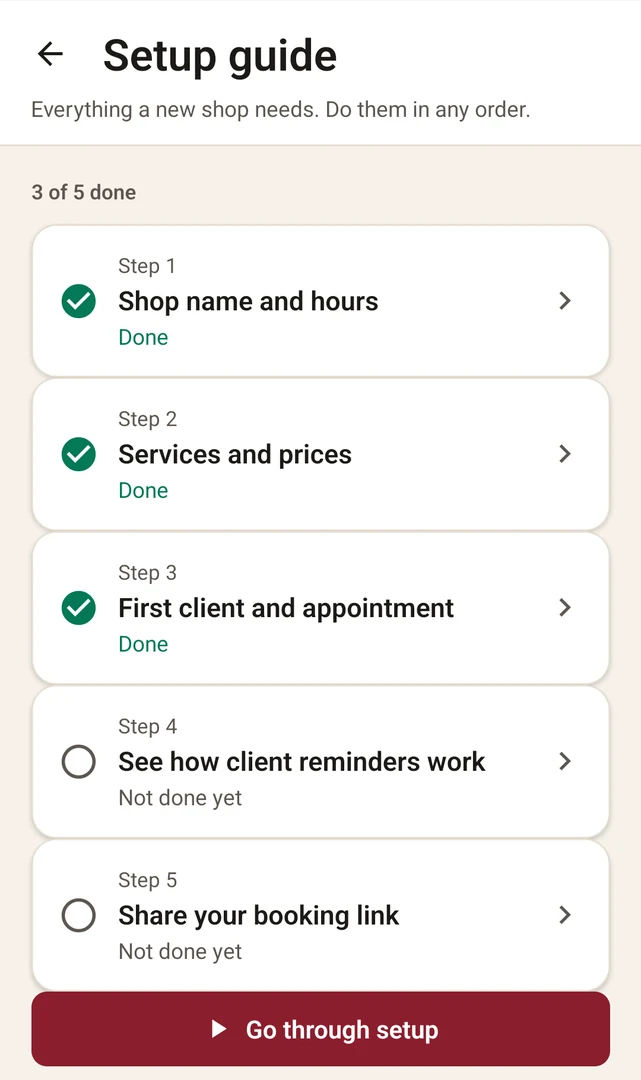
A short, skippable setup guide walks you through your shop name and hours, services and prices, your first client and appointment, how reminders work, and sharing your booking link.
For solo barbers on Android
Remind clients. Make cancellations easy. Track every no-show.
A booking and reminder app for barbers who work their own chair.

14 days free · $19.99/month · Clients pay nothing
Available in the US.
You held the time and turned someone else away. Then nobody walked in.
Reminding clients by hand means checking who's booked and typing the same message again and again. Without a record, it's hard to tell which clients keep doing it.
The no-show loop
Prevent
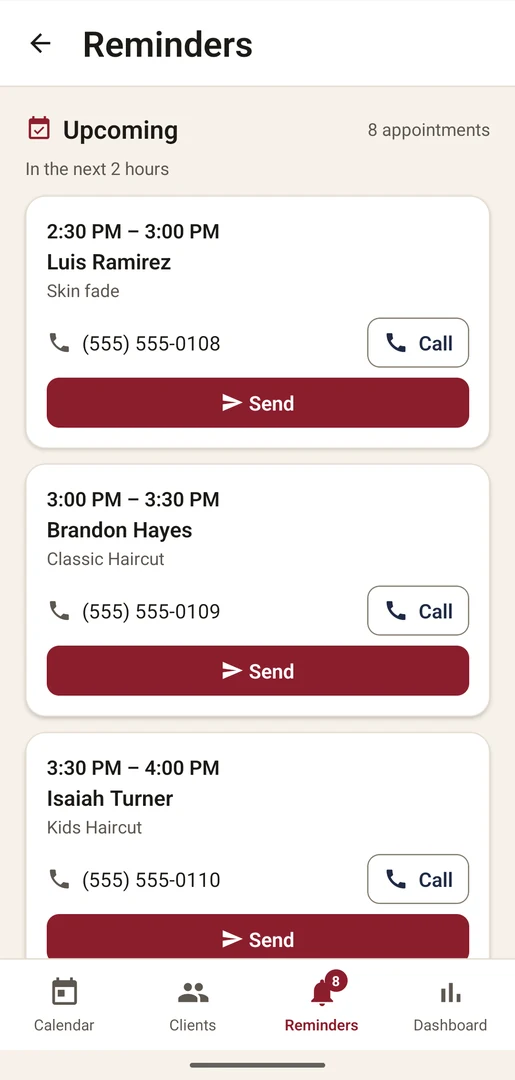
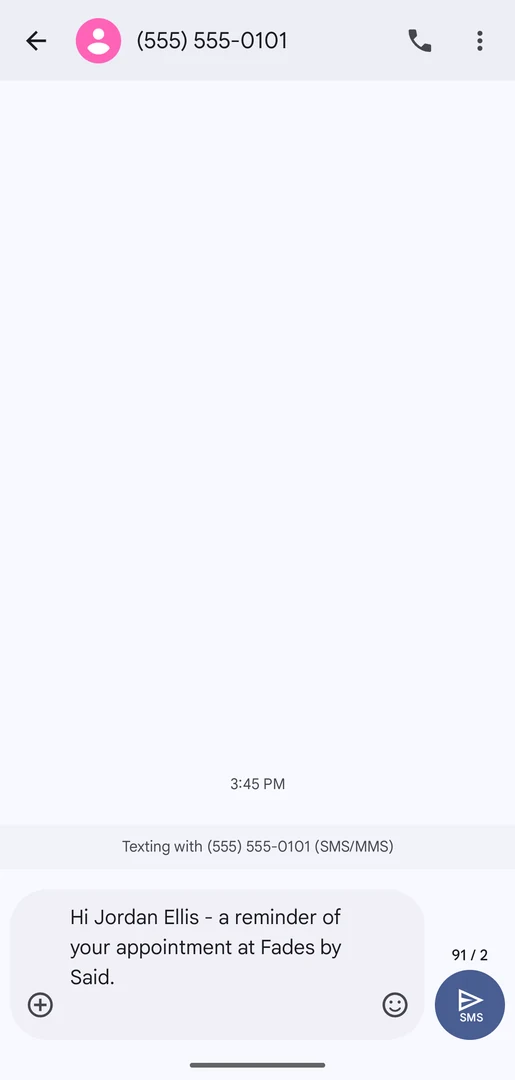
Each appointment gets two reminders: one 24 hours before and one 2 hours before. The Reminders tab lists who's due, and a badge shows how many are waiting.
Make cancellations easy
Every reminder includes a cancel link, so clients can cancel instead of simply not showing up. They can cancel online until 1 hour before. After that, the page shows your shop's phone number.
Record
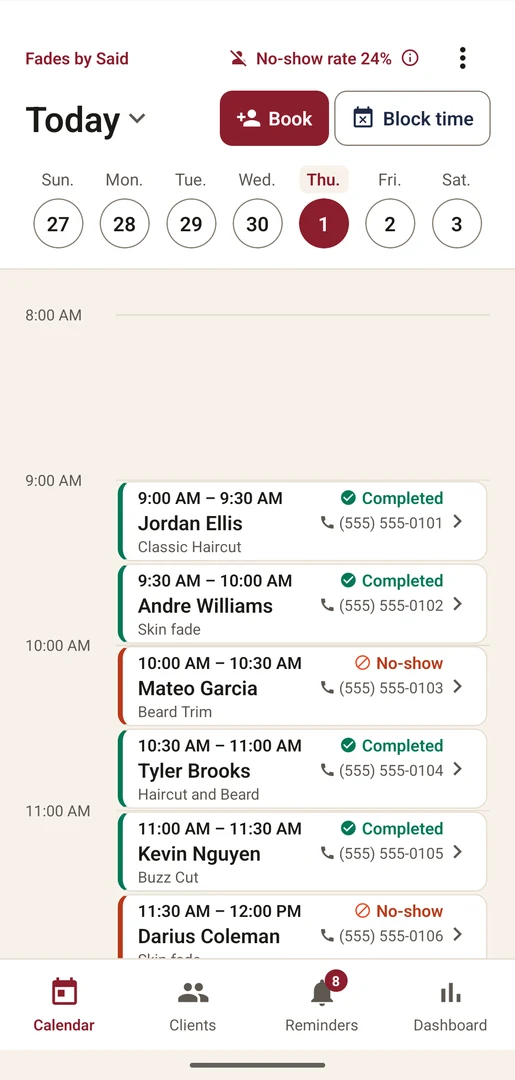
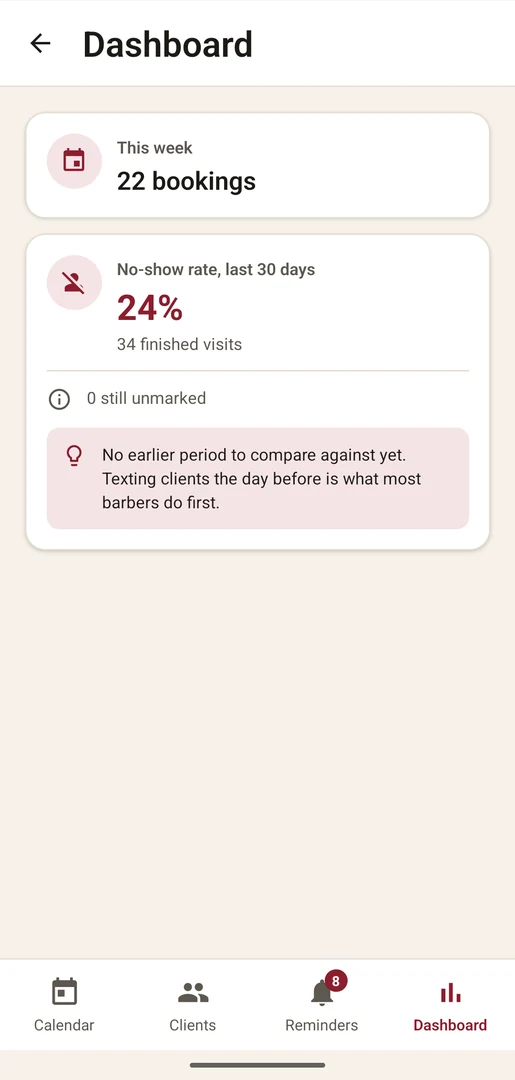
After each visit, mark it Completed, No-show or Cancelled from the calendar. Past visits you haven't marked wait in Visits to Mark on the Dashboard.
Learn
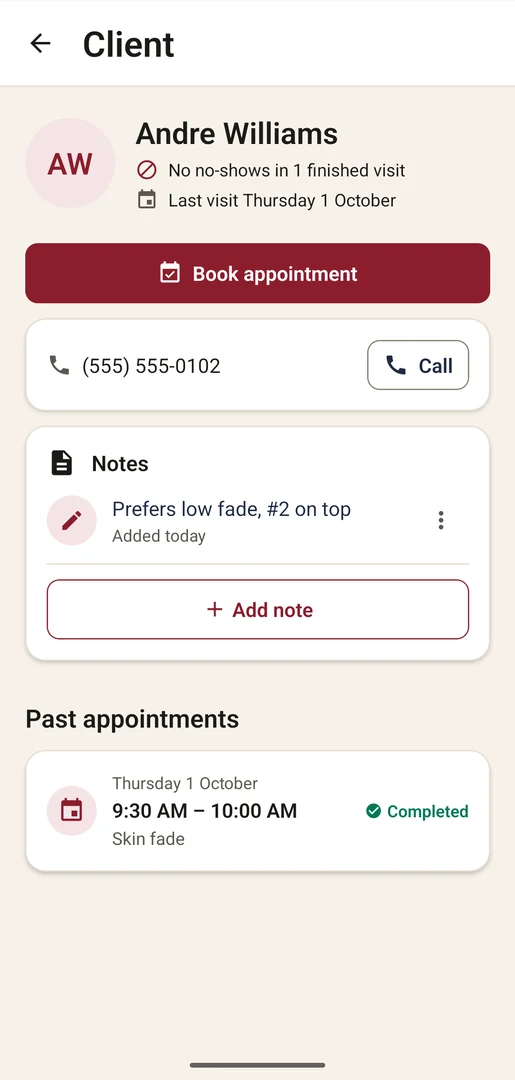
Each client shows “N no-shows of M finished visits”. The Dashboard shows your no-show rate over the last 30 days and, once there's enough history, compares it with the 30 days before.
Rebook
“Ready for a rebooking” lists clients whose last visit was 3 to 8 weeks ago and who have nothing booked. Tap Send to text them your booking link.
The app writes the reminder. Tap Send and your phone's texting app opens with it ready. You press send, and it comes from the number your clients already know.
It isn't an automated messaging service. Every reminder goes from your phone, sent by you.
Each account is one barber working one chair.
A short, skippable setup guide walks you through your shop name and hours, services and prices, your first client and appointment, how reminders work, and sharing your booking link.
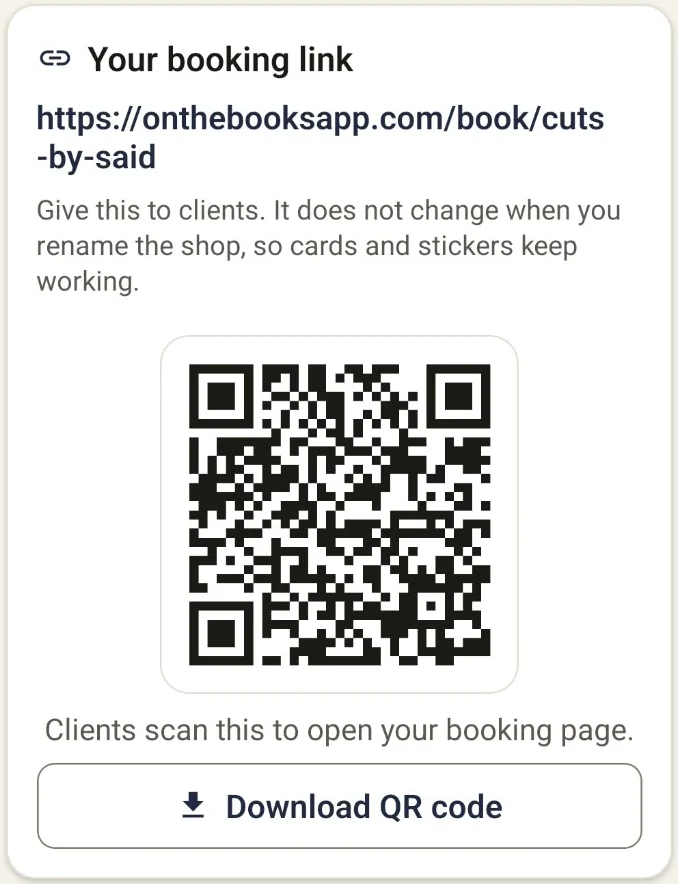
Send your link, or print and post your QR code. Clients pick a service, date and time, then enter their name and mobile number. No app, no account.
Send each reminder from the Reminders tab. After each visit, mark it Completed, No-show or Cancelled.
Booking alerts. Know when a client books or cancels online.
Client notes. Private notes on each client.
QR code. Download it to print or post in the shop.
Setup guide. Five short steps, skippable.
Common services. Add them in a few taps and set your own prices.
$19.99/month
Founding barber price
$14.99/month
Founding barbers pay $14.99/month and keep it while subscribed.
No. They book and cancel from your booking link or QR code in any web browser. They don't need an account.
No. Clients never pay. On The Books doesn't take payments or deposits from clients.
14 days free, then $19.99/month. Founding barbers pay $14.99/month and keep it while subscribed. Cancel anytime in Google Play.
Now, on Google Play in the US.
On The Books is an Android app. It needs Android 7.0 or newer.
No, and that's on purpose. The app writes each reminder and opens it in your phone's texting app. You press send, so clients get it from your number, not from a number they don't recognize.
Each appointment has two: one 24 hours before and one 2 hours before. The Reminders tab shows which ones are due.
Yes, from their confirmation page or the cancel link in their reminder, up to 1 hour before the appointment. After that, the page shows your shop's phone number.
Up to 60 days ahead, but not within 2 hours of now. Times show in your shop's local time.
Built-in checks block spam and fake bookings. One phone number can hold at most 3 upcoming bookings, and there's a limit on bookings from one internet connection per hour.
Yes. Turn on booking alerts and your phone shows a notification when a client books or cancels online. It shows their first name and the time, nothing more.
Yes. Book new or existing clients into your open times, and record walk-ins as they come in.
Yes. Use Block time for part of a day, a whole day or a range of days. If clients are already booked in that time, you'll see them and can call or cancel.
On The Books is built for one barber working one chair. Each account is one barber.
You do. Your clients' details belong to you, and On The Books stores them for you. See the Privacy Policy.
In the app, go to Shop settings → Delete account. Or email hello@onthebooksapp.com from the address you signed up with and we'll delete it within 30 days. See Delete your account.
14 days free · $19.99/month · Clients pay nothing
Available in the US.